


Try Before You Buy: Bringing Your Home Wall to Life with AR
Stop guessing if that XL sloper will fit on your kickplate. At Uncarved Block, we are 3D scanning our entire range so you can 'test-drive' holds in your own home. Using Augmented Reality (AR), you can now place 1:1 scale models of our grips directly onto your wall before you hit 'buy
Why AR Changes the Way You Build Your Wall
Shopping for holds shouldn't be a leap of faith. With our new AR integration, you can:
-
Check the Scale: See the hold in "situ" on your actual wall. No more pulling out the measuring tape to imagine if an XL pinch will fit between your existing routes.
-
Evaluate the Geometry: Move your phone around the 3D model to see the profile from above, below, and the side. You’ll know exactly how "juggy" or "slopey" a hold is before it even hits your doorstep.
-
Test Your Layout: "Place" the hold on your wall and put your hand next to it to get a true sense of the ergonomics and size.
How to Use the AR Feature
It’s incredibly simple—no apps or bulky software required.
-
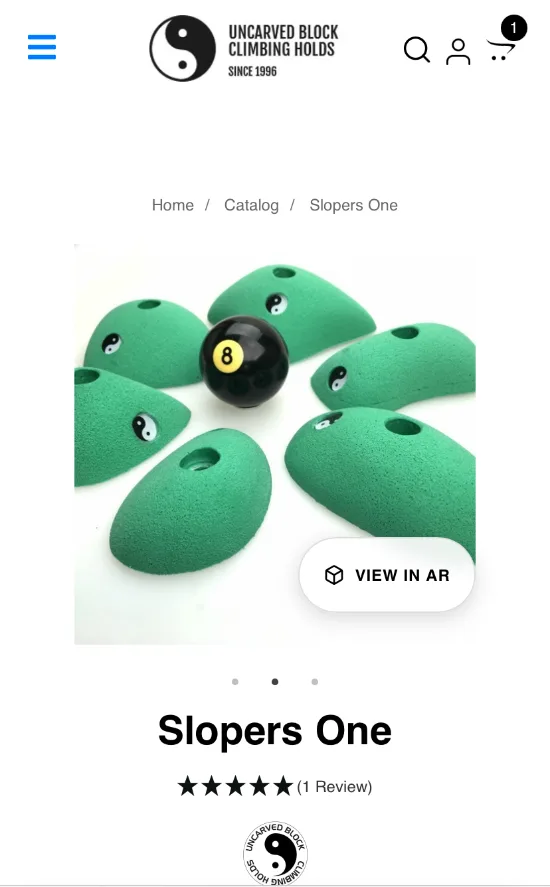
Find the Link: On a mobile device, look for the "VIEW IN AR" button on product pictures. If you do not see the button, I have not scanned that product yet!
-
Wait for the Magic: Tap the link and wait a few seconds for the 3D model to load.
-
Aim and Place: Point your camera at a well-lit part of your wall. The hold will appear in actual size.
-
Interact: Once placed, you can walk around it, get close to inspect the texture, or use two fingers to rotate the hold to find the perfect orientation for your project.
Tips for the Best Experience
-
Lighting is Key: AR works best on well-lit surfaces.
-
Reference Points: If the hold seems to "drift," try pointing it at a textured surface like a brick wall or a plywood board with existing holds.
-
Browser Compatibility: We’ve tested this extensively on iPhone (iOS 17+) using Safari, Chrome, and Firefox. Note: AR features currently work on mobile devices only and will not display on desktop.
⚠️ A Note on Device Limitations:
Most mobile AR technology (especially Apple’s ARQuickLook) is designed to recognize vertical walls and horizontal floors.
The Overhang Limitation: If you are trying to view a hold on a steep, overhanging wall (e.g., a 45° Moonboard or woodie), the AR software may struggle to "lock" onto the angled surface. It will often default to placing the hold on the nearest vertical wall or the floor.
The Workaround: To get an accurate sense of scale, we recommend placing the hold on a vertical section of your wall first. Even if it's not on the final "project" panel, this allows you to put your hand next to the 3D model to check the true 1:1 size, grip depth, and ergonomics.
Reference Points: AR needs "texture" to work. If you are pointing your camera at a blank, smooth white wall, the hold might "drift." Point your camera at a section of the wall with existing holds or a brick texture to help the software anchor the model.
The Future of Your Wall Starts Here
We are constantly adding more 3D-scanned models to our shop. Whether you're looking for the massive, grippy K-nackers slopers or the precision of our Classic Footholds, you can now "test-drive" them from the comfort of your home.
| Question | Answer |
| Does the AR show the hold in actual size? | Yes, our 3D scans are calibrated to 1:1 scale so you can see exactly how much space they take on your plywood. |
| Can I use AR on an overhanging wall? | Currently, most mobile AR (especially Apple iOS) is optimized for vertical walls. We recommend viewing on a vertical surface to check scale. |
| Do I need an app to view the holds? | No! Our AR integration works directly through your mobile browser (Safari/Chrome). |